 Nimbo
NimboOn iPhone with Nimbo
How to ask questions to a PDF on iPhone (with the exact source)
Short answer
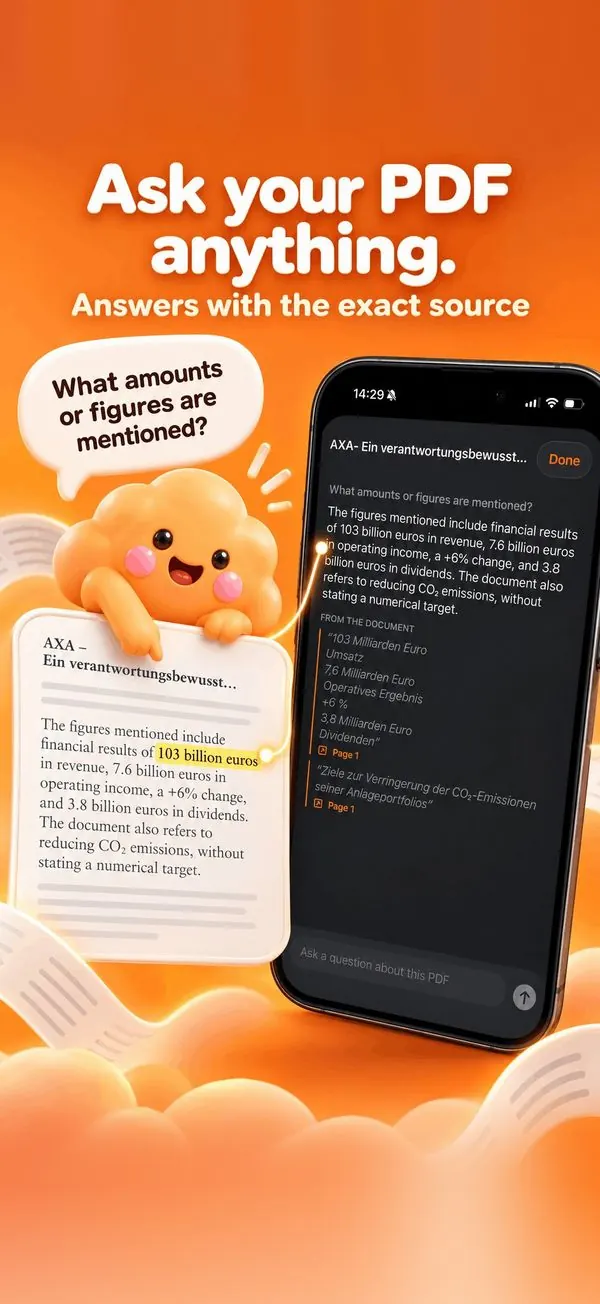
To ask questions to a PDF on iPhone, open it in Nimbo, tap the AI button, then Ask about this PDF, and type your question. The answer quotes the passages it relies on, with their page, so you can check it in the document instead of trusting a summary.
Step by step
- Open the PDF in Nimbo.
- Tap the AI button, then Ask about this PDF.
- Type a question, for example: What amounts are mentioned?
- Read the answer and the quoted passages below it, each with its page.
- Ask a follow-up question: the conversation keeps its context.
Why Nimbo
- Every answer cites the source passage and page.
- Follow-up questions keep the context.
- Nothing is sent before you allow it.
Frequently asked questions
Does it work on long documents?
Yes. Nimbo reads the document and quotes the passages relevant to your question.
Can it make things up?
Answers are built from the document and show the quoted passages, so you can verify each claim.
Is it free?
Asking a PDF is part of Nimbo Pro. The monthly plan starts with a 3-day free trial for new subscribers.